Case Study · Product Design · Spec Based Design (AI) · Acquisition Modernization Transformation
Reimagining 23 Years of Legacy Processes Without Disrupting the Business
Led product design for the modernization of Fannie Mae’s acquisition workflows, transforming 23 years of legacy processes into scalable Salesforce-based experiences while maintaining uninterrupted business operations. Navigated complex requirements, intertwined workflows, technical limitations, and tight delivery timelines to drive enterprise-wide change.
→ Modernized legacy acquisition workflows in Salesforce, translating complex business requirements into scalable experiences
→ Built alignment across cross-functional teams through stakeholder engagement and strategic design leadership
→ Balanced innovation with business continuity while navigating legacy constraints and enabling future scalability
Why this mattered
Transforming legacy proceesses keeps Fannie Mae competitive by delivering faster, more efficient experiences for lenders and internal Fannie Mae teams
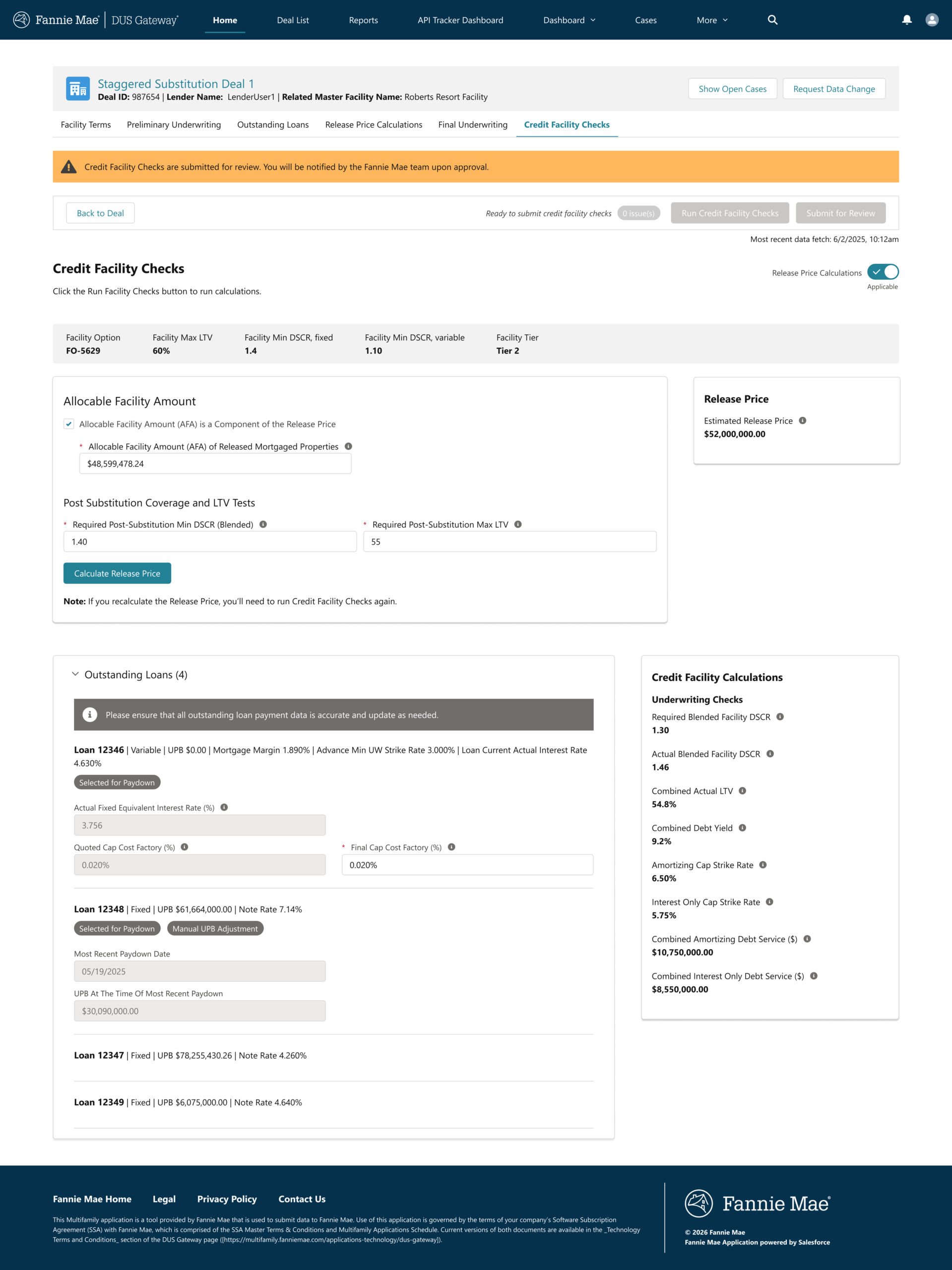
The product I was working on is called DUS Gateway. This is a lender-facing portal for working with Fannie Mae on multifamily financing through its Delegated Underwriting and Servicing (DUS) program. It uses a Salesforce codebase for managing the deal lifecycle; creating and submitting deals, working with loan options and pricing, and accessing credit-facility workflows.
Fannie Mae’s overarching goal is to make Multifamily the preferred digital financing platform by delivering the fastest, easiest, and most intelligent lender experience in the industry. It aligns with divisional priorities around growth, risk management, data standardization, automation, analytics, and better decision-making.
My role
Picking up where others left off
I was not the first Product Design Lead on this project. I came in at the end of year 2 of a 5 year initiative. Entering a project as a Product Design Lead mid-stream, is not always the easiest. I knew I can do the job I was brought in to do, but my first goal was to… My role focused on…
Focus areas
→ Defining strategy and solutions around the Non-Loan Collateral Events
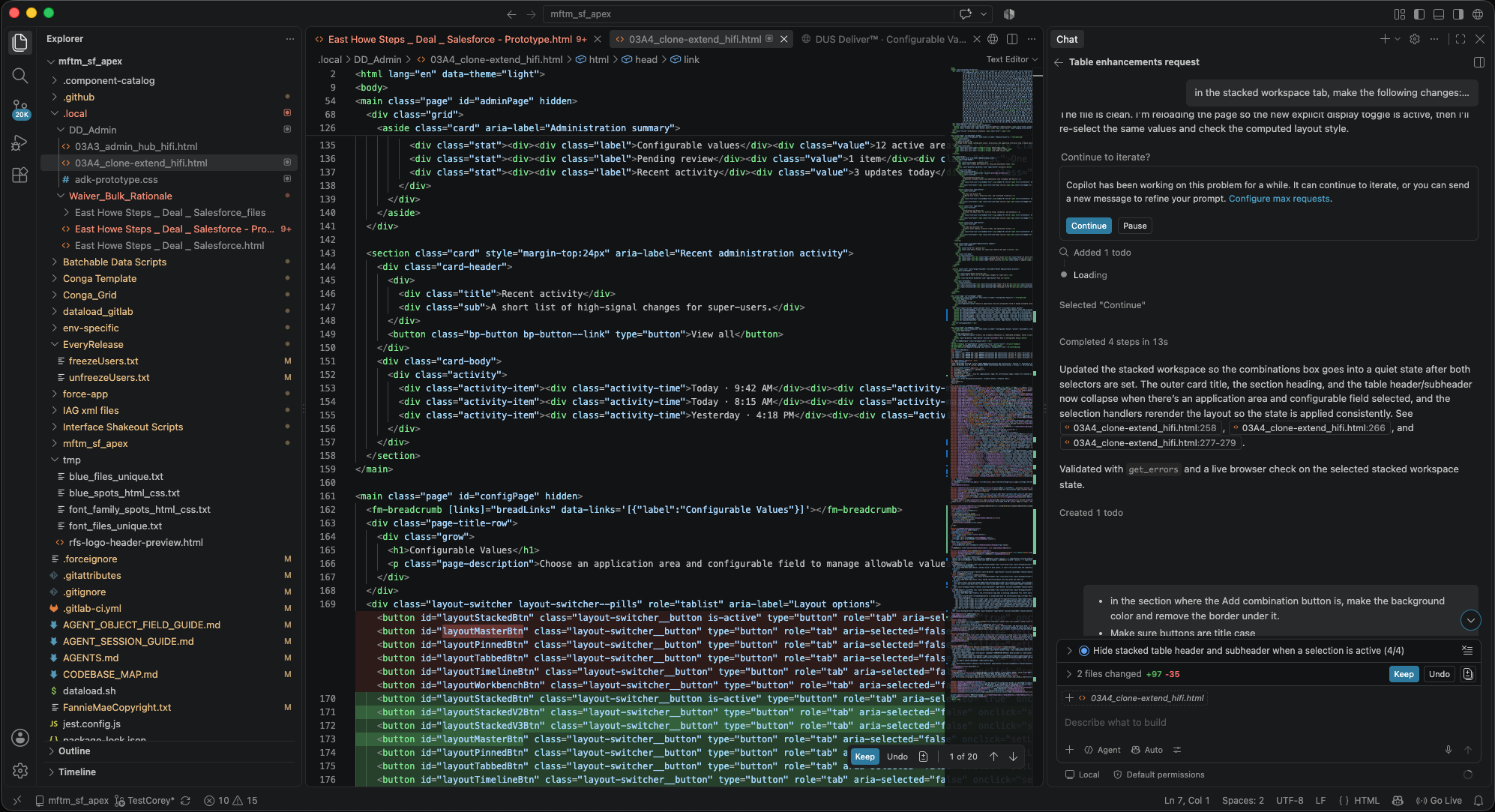
→ Shaping workflows for Spec Based AI designs
→ Building & expanding upon the foundation that was already in place
The design challenge
The challenge wasn’t just AI output. It was user confidence.
The challenge was designing an experience that helped users understand what AI could help with, know how to ask for the right thing, evaluate outputs with confidence, and stay aware of security and trust boundaries.
Because AI introduces ambiguity by default, the experience needed to reduce uncertainty and not add to it.
Key product decisions
The design decisions that made AI feel usable
Intent-first workflows
Designed around what users were trying to accomplish, not generic model input/output behavior.
Impact: Made AI interactions feel more useful and goal-driven.
Prompt generation as product design
Supported prompt construction through guidance, structure, and flow design instead of assuming user expertise.
Impact: Reduced friction and improved confidence.
Trust through visibility and control
Designed for transparency, review, and human judgment instead of black-box automation.
Impact: Increased clarity and reduced perceived risk.
Transformation moment
A clearer path from intention to trustworthy AI output
Before
- AI possibilities felt abstract and unstructured
- Prompting behavior was unclear
- Users had to infer how and when AI should be used
- Trust and security concerns created hesitation
After
- AI interactions were grounded in specific workflow moments
- Prompt generation became part of the guided experience
- Users had clearer expectations around outputs and review
- The product direction balanced intelligence with control
→ A more trustworthy and usable path for bringing AI into project work
Designing the interaction model
Designing how AI behaves inside the workflow
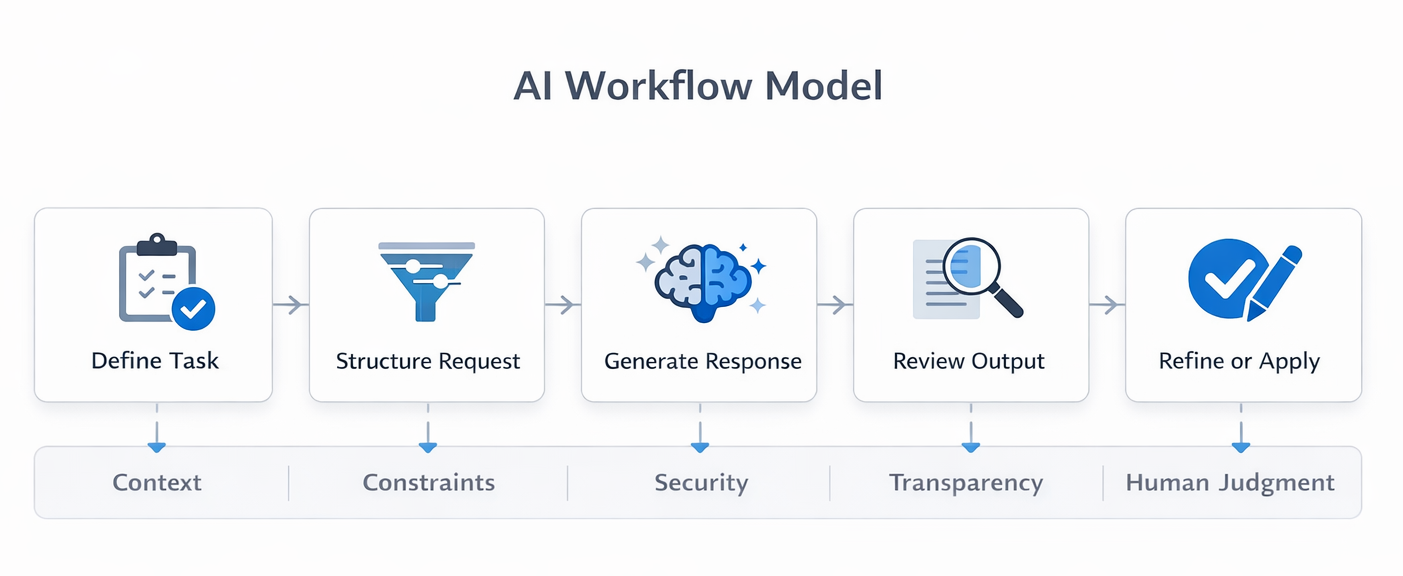
Explored where AI should enter the workflow, how users should initiate it, what the system should reveal during generation, and how outputs should be reviewed or accepted.
The goal was to create an interaction model that felt assistive, not intrusive, and trustworthy rather than opaque.
Product experience
Bringing AI structure into the interface
Guided prompt construction
→ Helped users move from vague intent to structured request
→ Reduced reliance on prompting expertise
Output review and refinement
→ Treated AI output as something to assess, refine, and integrate
→ Increased trust and reduced over-reliance
Designing AI meant designing trust, not just interaction
The product experience needed to answer what the AI was doing, what information it used, when human judgment mattered, and where system boundaries existed.
Systems thinking
Designing not just a screen, but a system of relationships
This work required connecting user intent, workflow context, prompt logic, AI generation, trust signals, review actions, and organizational constraints into one coherent experience.
What made this work valuable
→ It translated emerging AI possibilities into clear interaction models
→ It made prompt generation more approachable and usable
→ It aligned trust, security, and product experience
→ It created a realistic path for adoption within constrained environments
Impact
Impact
Translated emerging AI capabilities into usable product direction
Made prompt generation more approachable and structured
Strengthened alignment between trust, security, and experience design
Created a stronger foundation for AI adoption in project workflows
What I’d do next
Where this could go from here
I’d focus on adaptive prompt assistance based on user context, clearer trust signals around output quality, human-in-the-loop refinement patterns, and reusable AI interaction patterns across project workflows.